How Retailers Can Protect Their Internet Connectivity During Summer Power Outages
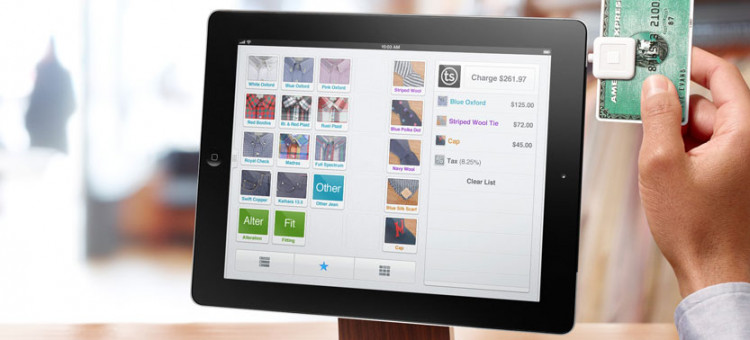

Over the past decade, retail point-of-sale (POS) systems have steadily become more sophisticated, using network-based technology to ring up sales transactions, track inventory changes, and collect other important data.
Many retailers now use fully cloud-based POS systems like Square, Clover, and Lightspeed, which keep data on remote servers and can be accessed from anywhere with an internet connection, including phones and laptops. While this technology has obvious benefits, it does open retailers up to one big vulnerability: If their internet connection goes down, their checkout registers, self-service terminals and chip card readers are essentially incapacitated — frustrating customers, impacting business operations, and putting revenue at risk.
As we enter the hottest months of the year, power outages are expected to spike due to the increased frequency of severe storms, as well as higher energy demands taxing power grids. However, retailers that understand the mechanics of internet continuity and the reasons behind connectivity failures can take steps to mitigate these issues.
Although traditional copper- and fiber-based communications systems are highly dependable in most situations, they’re still vulnerable to physical damage, service provider issues and adverse weather events like lightning surges. Most lightning damage occurs not from direct strikes but from the electromagnetic pulses generated by nearby lightning strikes that couple into copper wiring, damaging both power and data lines.
Here’s how you can safeguard your store’s internet so that your POS, order fulfillment and customer service systems stay up and running, even when the lights go out:
- Find your weak spots. Locate any critical copper-based connected components within your network infrastructure that might be susceptible to electrical power and lightning surges. This can include roof, pole or facility-installed/mounted equipment, as well as any AC/DC-powered and data equipment that can be affected by the electrical power grid or other external sources such as weather.
- Install surge protection devices. Any power and data lines connected to your network equipment should have surge protection devices (SPDs) installed. It’s especially important to do this for rooftop antennas or any equipment exposed to the elements. SPDs act like a trapdoor of sorts, passively monitoring system voltage and only activating (i.e., switching to a low impedance state) when a voltage exceeds a safe threshold. When activated, the surge protector diverts excess energy away from sensitive equipment, preventing damage. Because surges can travel in either direction, it’s important to install SPDs at both ends of cables running to rooftop or outdoor equipment.
- Ensure proper grounding. Surge protectors must be properly grounded to be effective. Inadequate grounding is a common cause of equipment failure, even when surge protection is present. Install a ground bar that connects all the grounding wires from antennas, metallic supports, cables and any other sensitive equipment. Make sure your rooftop grounding system is bonded to the building’s existing grounding infrastructure. Use strong, corrosion-resistant materials like stainless steel, and ensure all mechanical connections are secured and protected from the elements with antioxidants.
- Have a backup power supply. Connect your modem and router to a battery backup (also known as an uninterruptible power supply, or UPS). This device will keep your Wi-Fi on through short outages and can provide a small amount of additional surge protection when electricity is restored. Although longer outages are much less frequent, a generator or portable power station can be wise choices to keep essential equipment running.
- Add a wireless internet backup. Installing a backup wireless system is not just a precaution, but a wise strategic move to ensure continuous operations and keep downtime to a minimum. Many internet providers now offer backup solutions that automatically switch your connection to a cellular network if your main internet goes down. You can also use your smartphone as a mobile hotspot in emergencies, but be mindful of data limits and battery life.
With these precautions in place, you’ll have a high degree of assurance that your system will reliably live out its useful life, while keeping downtime to a minimum so you can continue serving customers.
Dan Rebeck is the global product line manager for surge protection and power distribution for Infinite Electronics, a well-known electronics company which includes several reputable brands that offer high performance AC, DC, Data and RF surge protection and connectivity products.
- Categories:
- POS Systems
Dan Rebeck received his BSEE from the University in Idaho in 2001. He has spent his entire professional career in the surge protection and power distribution industries, developing product solutions for a broad range of telecommunications, industrial and military applications. Dan has held a wide variety of roles including R&D, engineering management and business development. Currently, Dan is the global product line manager for surge protection and power distribution for Infinite Electronics, Inc., a well-known electronics company which includes several reputable brands that offer high performance AC, DC, Data and RF surge protection and connectivity products, including Transtector, PolyPhaser and Bulgin.